Managing Vendor profiles
When working with devices: Choose the Vendor Profiles tab in the right panel to view any provisioning or configuration profiles installed on the device. Only profiles that have been created with Apple Configurator and installed on a device via KACE Cloud can be removed.
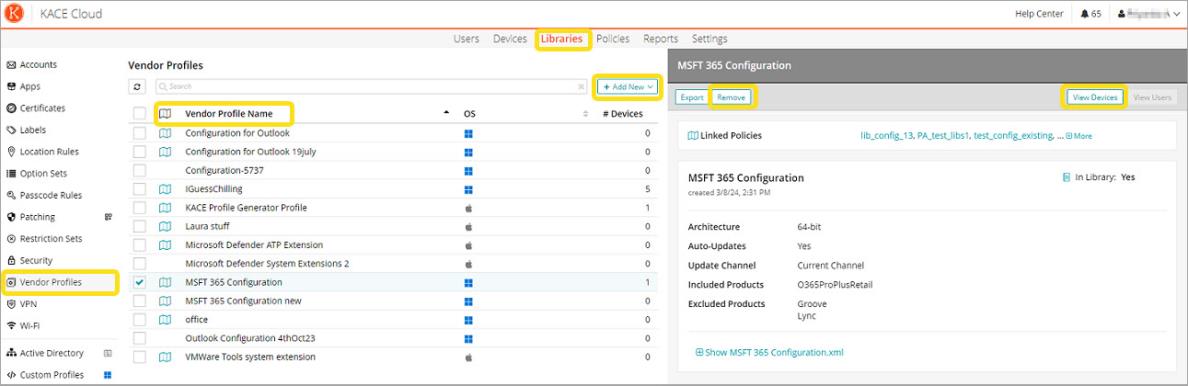
When working in the Vendor Profiles Library (shown below): An admin can add a new profile, remove an existing profile, or view all devices that have a specific profile assigned to them.